How to Run the DeepSeek R1 Model on Your Local Computer for Free

The AI world was buzzing last week with the release of a new LLM called DeepSeek R1 (first generation reasoning model) that is free and open source and comparable performance to OpenAI o1 model. You can run it for free in the browser from their site and they’ve also released a free mobile app as well.
Since the model is open source I wanted to test running it on my local computer. I was able to do this with tools I already had installed which included Ollama using the Open WebUI interface running through Pinokio. All I had to do was download the model. I located the DeepSeek models page on Ollama and researched which model would run well on my machine which has an NVIDIA 4070 Ti Super with 16Gb of ram. The largest recommended model for my setup was the 14b parameter version.
Here’s a video on how to get this setup running
I ran OpenWebUI through Pinokio, went to the models page and downloaded the 14b version. I selected it and was using it right away. I ran a few tests to compare their web version with the 14b local version I was running and could definitely see a big difference. The main one being that the web version seems to be running their biggest model as it was able to show the detailed reasoning in its answers. Just make sure to check the “Deepthink (R1)” button before submitting your prompt. Being able to see the detailed steps the model uses for each step before answering is an amazing behind the scenes way to see how it works. Much like when you had to show your work doing math problems in school. This is what’s generating much of the buzz around the DeepSeek model along with the free usage options.
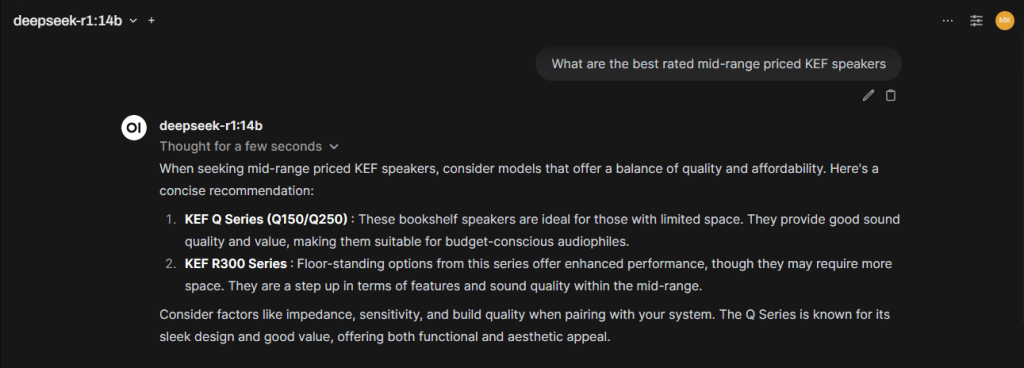
Definitely seeing the difference in quality running DeepSeek locally on the 14b model vs. the model on their web version.
In this example I’m asking to analyze one manufacturer’s speaker models to determine the best mid range priced ones. You see that the model running on my local machine provides a quick and simple concise answer.
While running the same question on their web chat provides a thoroughly researched answer along with a summary that shows each of the steps used in its reasoning.
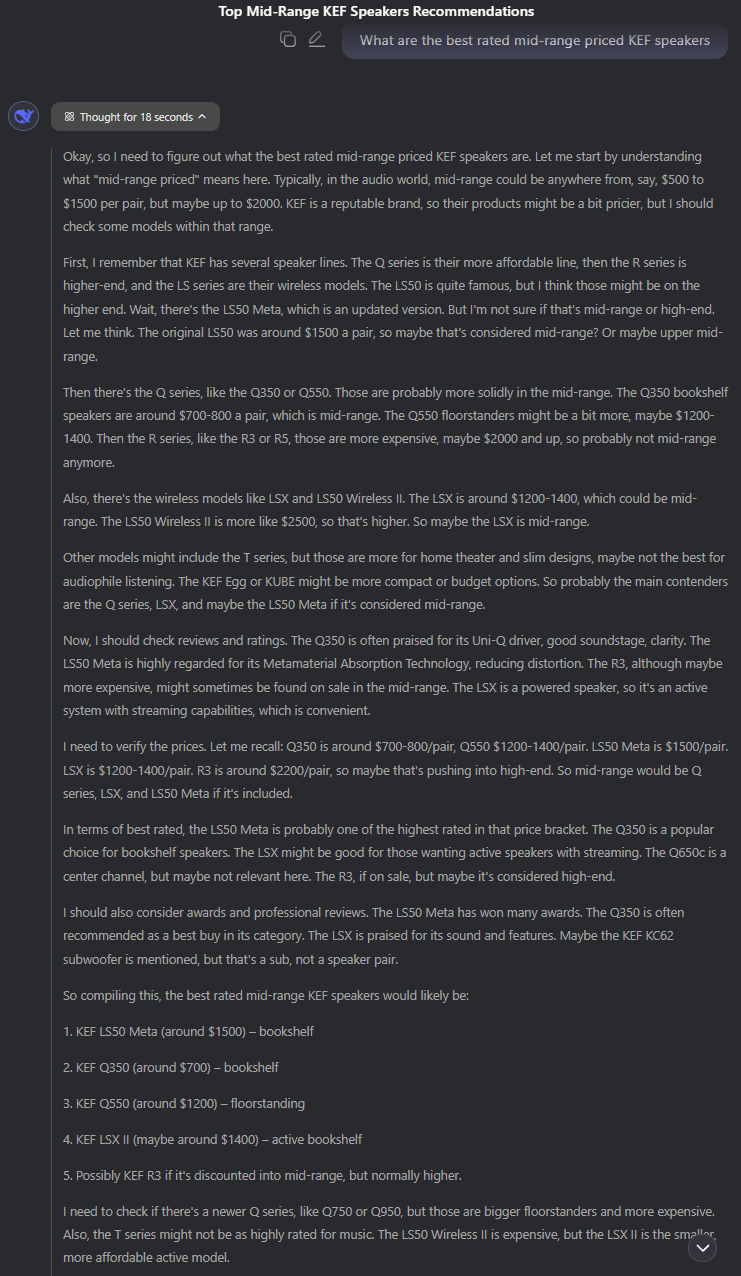
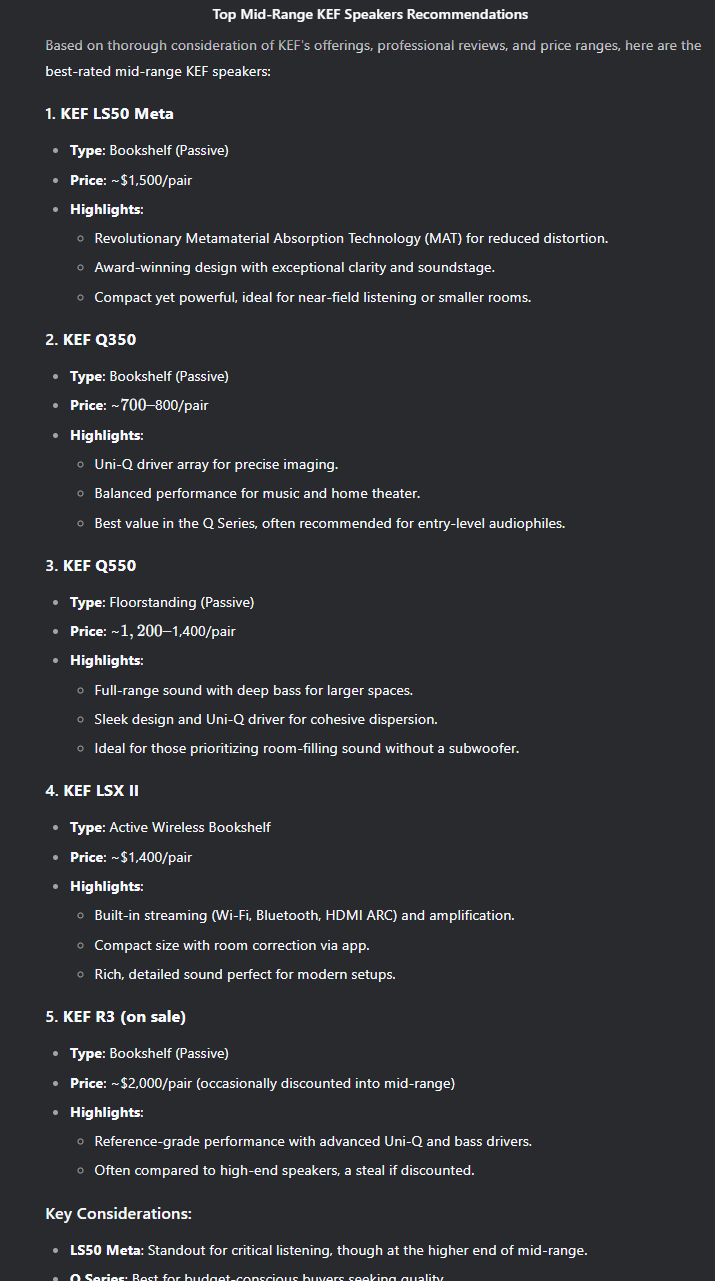
I like being able to have the option of running models locally when I am uploading personal documents or querying sensitive information. But even with a powerful machine you will always get better results with larger models that utilize more powerful resources.
Note: Make sure you install the newest version of Pinokio 3.4.0 and then re-install the latest Open WebUI script which also makes adding the DeepSeek model easier. See below.
If you enjoyed this post be sure to check out my AI Resource Guide for News, Tools, Tutorials and more.