Creating an AI Stack by Mapping Use Cases to the Right Tools


It’s easy to be overwhelmed by the abundance of AI tools being released. One of the biggest challenges is to have a specific use case for using AI and then finding the right tool to help you. Sometimes even if you find the right tool it can be hard to know how to configure or use it properly as well.
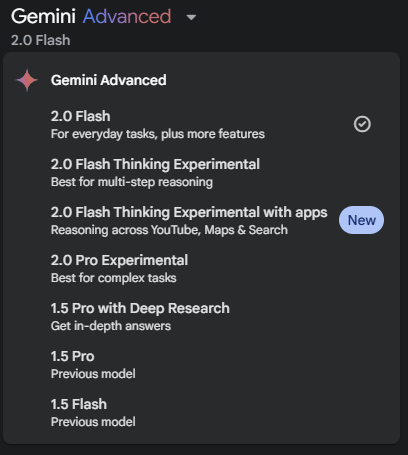
Nowadays, there are certain AI chat services that are better at some tasks (coding, reasoning, etc.) than others. Then when you choose a service you still need to select which model you want to use to complete your task. This puts the decision on the user to select the appropriate model for your specific needs. Choosing the right one can be challenging if you don’t know which one is best for your task at hand. I mean, you would think that AI could analyze the prompt and determine which model is best suited for the task requested. Well sure enough this is a realization that Sam Altman (CEO of Open AI) made this week. He discussed the confusion between product selection fatigue and stated that he wants to simplify his product offerings.
It appears that GPT 5 will take us there by automatically selecting the best model and tools for a specific task. So perhaps this issue will be going away soon. But until then we will need to continue knowing how to pick the right AI tools for the job.
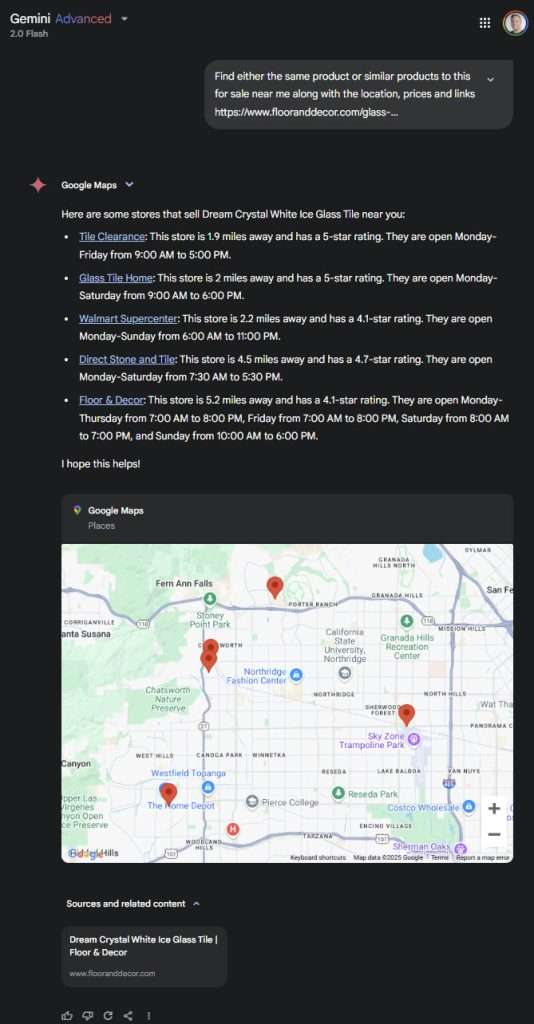
I came across a job for AI when I began researching tile to use for a kitchen backsplash. I already had 2 vendor websites that I used to find a color, pattern and style I wanted. Once I decided on a specific tile I wanted to research other vendors near me that had a similar style so I could compare more designs and prices. For this I decided to use Gemini. I created a prompt and first used the Flash 2.0 model which provided limited feedback only giving me a list of nearby locations. I then used the same prompt with Flash 2.0 thinking experimental. This provided analysis of the prompt that generated extra steps that included nearby locations, matching products, prices and more. The added benefit is that it shows the steps in its analysis to provide the answers. This allows you to verify the work for accuracy or issues.
Here’s screenshots showing both models respond to the same prompt. Note: only a small portion of the thinking model shown.

The same issue of applies to services for creating images or videos. You need to identify what your specific task is and then find a tool that offers that specific feature. I’ve recently started several home improvement projects and looked to use AI for help with some aspects. I painted the exterior of my home but had several sections of bricks that did not match my new color pattern. I was having a hard time deciding what colors (if any) I should paint the bricks to better adhere to the new style. I knew there had to be an AI tool I could use to help me visualize this.
I used several search methods to try and find a tool with the specific feature but including Perplexity but this turned out to be more difficult than I would have imagined. In the end I found AI Ease >> AI Replace which worked ok but then came across Krea which did a much better job.

Here are the resulting images of the bricks in different colors created that helped me decide on what to choose.





Another example I’ve come across was trying to find an AI tool that codes to create an app. I came across this person who did an exhaustive test of 24 different tools. I was specifically looking for something geared towards novices and through his list and additional research found 3 tools that I’ve started testing which include Bolt, Replit and Lovable. I even was able to test Bolt locally for free using Pinokio.
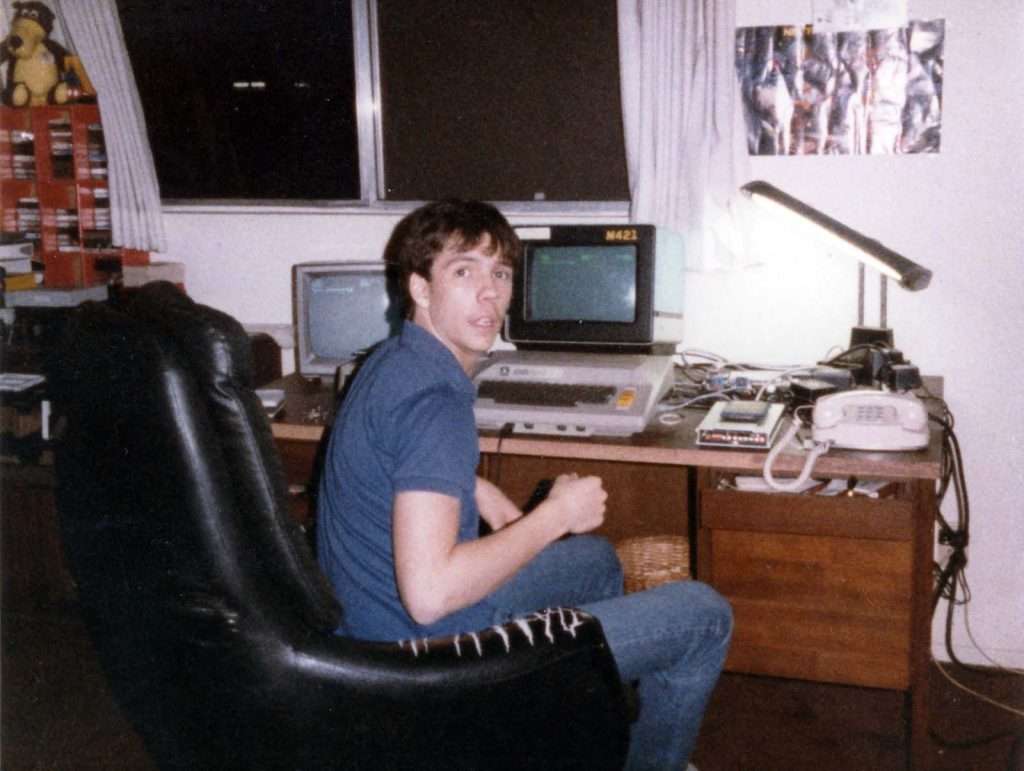
Hugging Face recently released their AI App Directory which could be very helpful for finding utilities in their eco-system to help you with AI tasks. I used it to try and help me find a good way to restore an old photo from the 80’s that is a little blurry and grainy. You can simply use it’s AI search feature which I did using the term “restore blurry photos” and it will return all matching apps. In my case there were probably over a hundred that matched but they do list them based on the community voting to help surface the better ones. I then tried several of the apps against the same photo with varying results to ultimately find the app that I liked best for my use case.

Below you can see the original photo and the version after running through the Hugging Face App here. The quality of the face improvement was pretty amazing however the other objects have some artifacting that changes their original appearance.

These examples have shown me that each of us will be developing our own AI tech stack that maps specific tasks we want help with to the appropriate tools to use. This article by Ben Congdon does a fantastic job of explaining the different AI tools he uses along with his reasoning and use cases. Here’s a thread on Reddit with a user sharing their AI stack and eliciting others to share theirs as well.
These have inspired me create my AI tech stack both as a reference for myself and a way to share with others. For now this takes quite a bit of research and testing during this wild west phase of AI. Things move so quickly that switching tools will be common for quite a while. I’m guessing as time goes on we will start to see very comprehensive super apps that will reduce the number of different tools used. However, for now continous research and testing will be the norm to find the right tools for each of us until things start to settle down.