How to Use AI to Redesign and Optimize Your WordPress Website

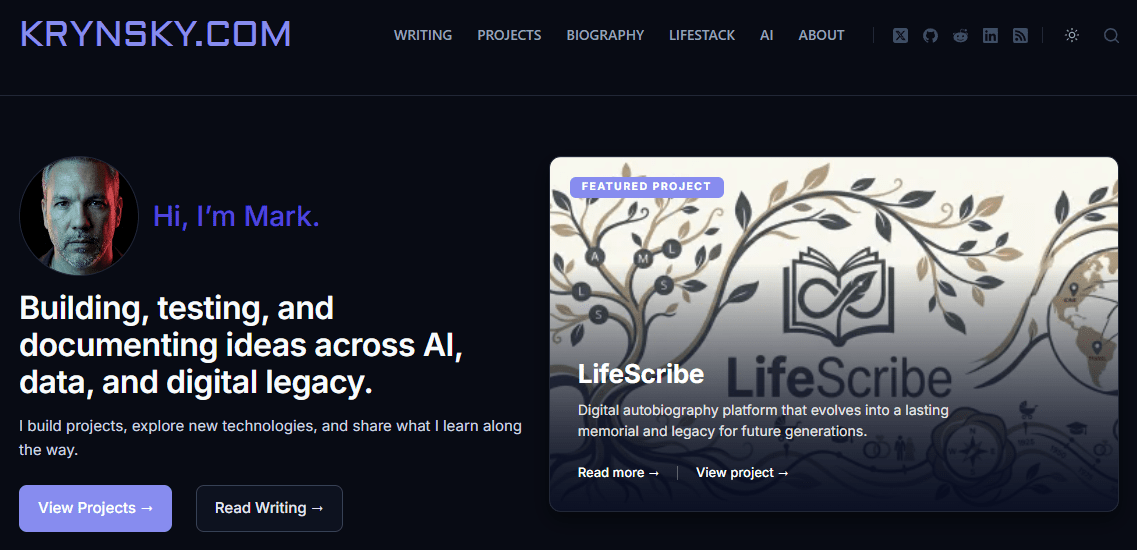
I decided to revamp all of my WordPress websites. My main goals were to go as minimal as possible. The steps I wanted to take were:
- Migrate to a basic theme
- Create a design using AI and implement it
- Remove or reduce as many plugins as possible
I started with krynsky.com and for the re-design I used the newly released ChatGPT Image 2 model to analyze my current site and create a new design based on prompts I provided. I iterated for a while and once happy with the home page image it created, I took it to Claude Design. I provided the image and asked it to create a new design system based on the provided image and had it create preview html designs with color accent options to decide which path to take. When ready I had Claude Design create a handoff markdown file and provided that along with the preview html files and the ChatGPT design image to Claude Code to get started.
I researched themes to switch to for the new design and landed on the Blocksy theme based on my needs. This replaced the current Astra Pro theme paired with the Spectra website builder. Once I provided all the design elements to Claude Code I had it use WordPress to apply the design to the Blocksy theme as much as possible and create any custom code necessary to implement things not supported. Most of this was done directly by Claude with the admin account access I provided. In some cases it instructed me to use the admin UI for some settings.
I used Claude Code to do an analysis of my current WordPress stack as well. I decided to remove quite a few plugins. I feel that most of the plugins removed added too much overhead and complicated UI elements in the admin and I wanted to reduce that. I also wanted to bring functionality locally where possible instead of using third party web services.
Beyond the design we reviewed every plugin and removed several and migrated others. The biggest changes came from removing Jetpack which I was using for several functions. I ended up using Koko analytics, contact form 7, and Mailpoet to replace its features. Yes, it increased plugin count in this case but I feel the value gained was worth it.
For the new Projects section of the site Claude installed and configured Advanced Custom Fields along with Code Snippets plugins to add this new content type and provide the custom designs the cards used. Code Snippets was also used for any other functionality needed by the design not supported directly in the theme. Beyond that the only other plugins are a few site optimization ones for my host Siteground, a login attempts blocker, Rank Math SEO, and Akismet.
That final list of plugins wasn’t decided until after I finished the site and deployed. Once I was live I decided to check Google Page Speed to see what the results were. The numbers were good but I asked Claude to analyze the results and provide feedback on where we could gain better performance. The biggest impact was by optimizing images to use WebP. This provided the most substantial gains. The next change was removing a plugin I had installed to generate text files for LLMs to read which also included some javascript to identify AI bots that visited the site. I removed the plugin and had Claude replace the functionality natively on its own. It then found a large Google Fonts file being called by the Mailpoet plugin which I use for newsletter subscriptions and removed it. Last thing was realizing how much Google Analytics was bloating my site with scripts and cookies so I decided to remove it and just stick with the local Koko analytics.
This took about 8 hours to complete all the work but I think the design and performance of the site has been well worth it. I will continue to migrate all my other sites based on these learnings with the goal of keeping the stack as small and tight as possible. I will also keep an eye on other CMS out there as my needs may shift. I’ve been taking a look at EmDash, Drupal CMS and Ghost and may play with those soon.